

While some of the edits you can perform on an image are better applied on an individual basis, some others can easily be applied to a batch of image files instead. This is what Image Tuner offers you – the option to edit and enhance either a file individually or a folder full of image files. Besides, you can concatenate a list of edits and apply them all to your target file(s) in one single operation.
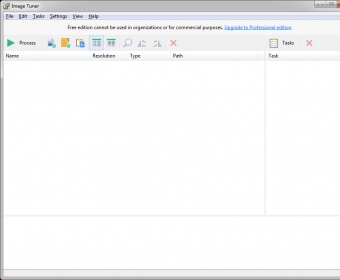
Though also useful to improve a single image, Image Tuner is perfect for bulk editing. The way it’s been designed is aimed at automating a large number of edits on a large number of files in the quickest and most convenient way. For reasons I’ll explain later, it may take you a while to fine-tune all the edits you wish to apply a to an image or a set of images, but once you’ve managed to configure all the settings so that they fit your requirements, it is quite satisfying to see how the program converts, edits, enhances, corrects, or improves a large set of files in just a few seconds. Besides, you can always save your own lists of tasks and re-use them with as many other sets of files as required.
Finding the right settings for certain editing tools is a completely different matter. While resizing a file is easily done by setting the right percentage, the number of pixels (width and height), and the precise inches, centimeters, or DPI, applying an artistic filter or changing the hue, saturation, and luminosity values, however, require you to take a leap of faith. These are also measured in numeric values that have very little or no meaning to the common user. While most image editing tools offer you a preview in real time of the changes applied, Image Tuner offers you a number-based scale. But what does 3 means when it comes to saturation? Am I over-saturating the image? How does it combine with a 4 value for hue? Applying a filter preset is equally risky. We all know what a blur effect will do with our images, but what will a LowPass1 or a HighPass3 do to them? And how blurry will my images be if I use this preset?
Tedious as it may be, this trial-and-error approach may end up being useful when cropping, cutting, resizing, or rotating a set of images, but not when it comes to correcting lighting problems or trying to enhance your pictures so they look nicer.
This doesn’t make Image Tuner a completely useless tool, however. There are many tasks that you can perform with this tool quickly and easily (and, what is more, effectively) in folders packed with images, and you can perform all of those tasks in one single operation and as many times as needed for free. All you have to do is choose and try your settings carefully and find the right combination of tasks that are good for your images and you needs. Image Tuner will do the rest.




Comments (1)